Portal 2.0: Multi-role

With the latest release administrators will have a finer degree of role assignment across Portal Features.

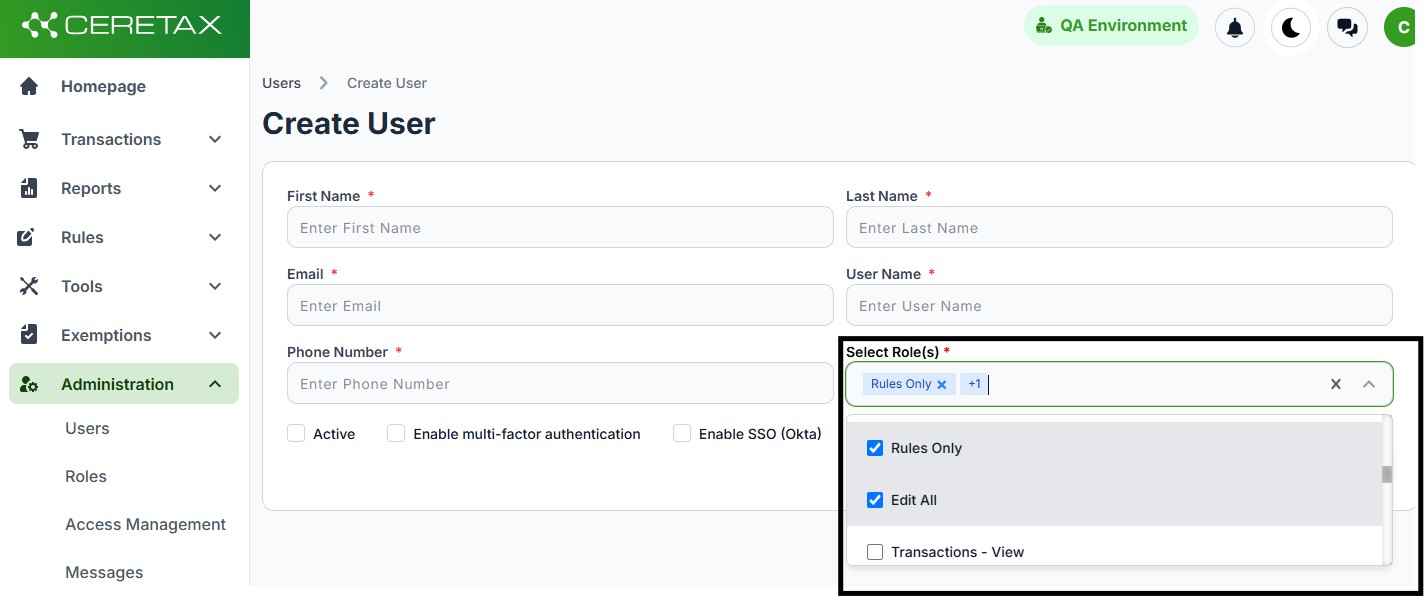
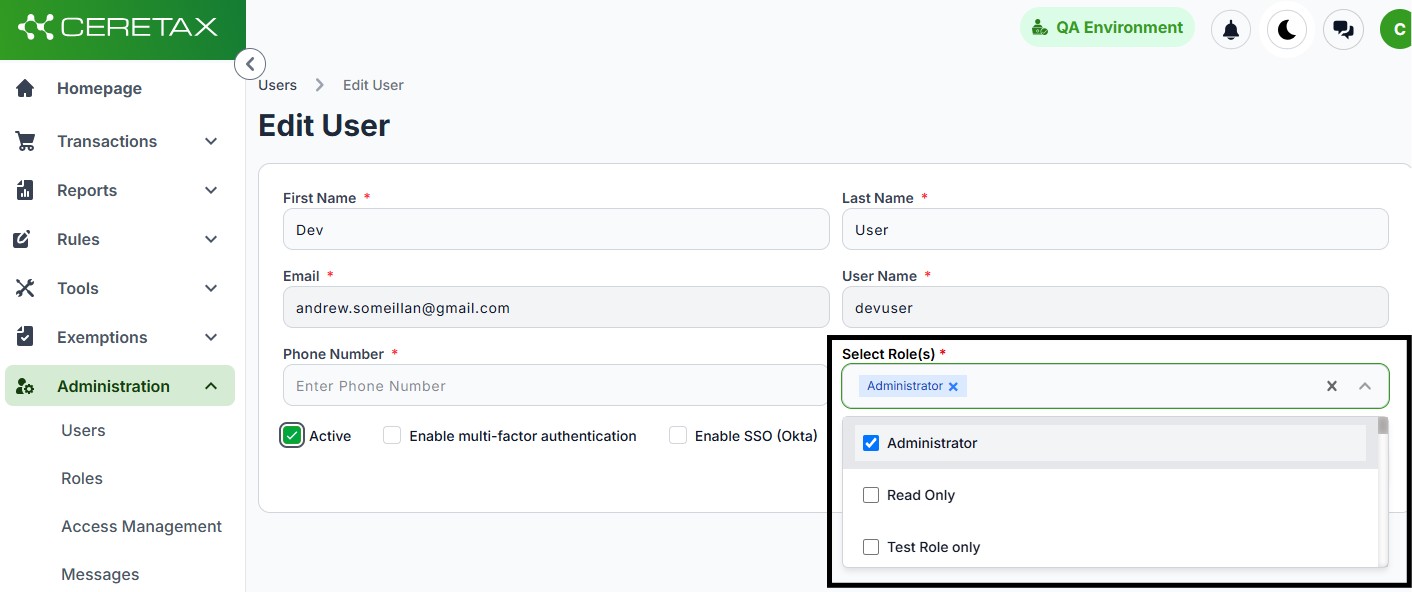
Multiple roles can be assigned to form a composite set of permissions for a given user.

To utlize mulit-role take the following steps:

  • Create a new user or edit an existing user
  • Nagivate to the Select Roles dropdown
    • select 1 or many roles you want assigned for the given user
    • you can add or remove roles in this step
  • all permissions from each role will be granted to the user

No items found.