Salesforce B2C - FAQ
Updated:
September 8, 2026
How to process a refund
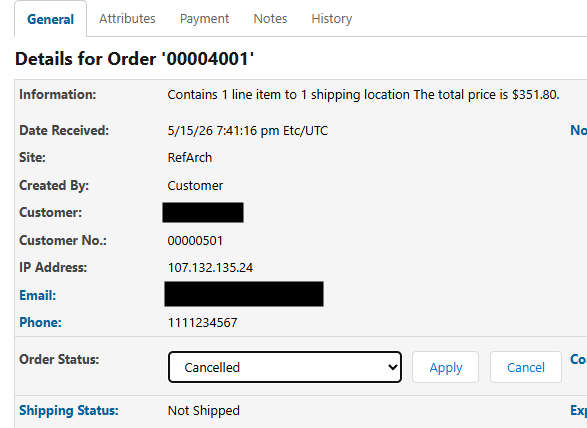
- Go to the business manager and location the transaction
- Change order status to cancelled, click apply
- After submitting, if you look at the Attributes tab you will be able to see a new KSUID reflecting the refund
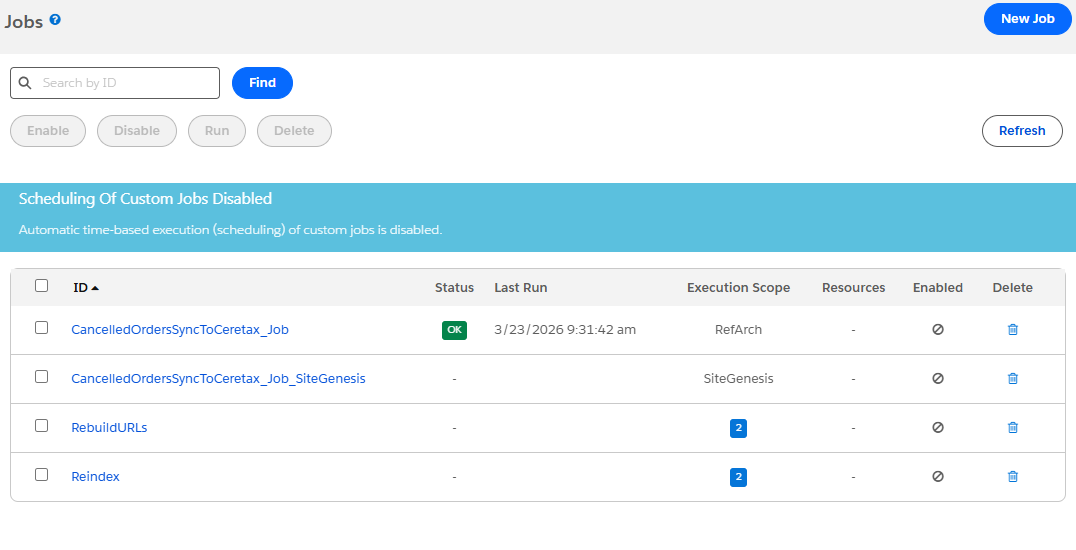
- You will also need to execute a job that will process the refund properly
- if you are using RefArch, use the first job listed in the image
- Ifyou are using SiteGenesis, use the second job listed in the image