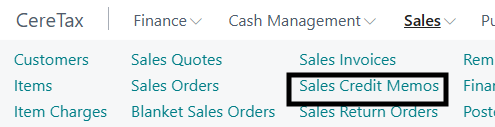
add the products, shipping, etc, just as you would for a sales invoice
post the transaction
the revenue will be submitted as negative, no need for you to make any additional adjustments
Q: How are Credit Memos handled?
A: If a credit memo references the original invoice, its Invoice Date is inherited from that original invoice — preserving the historical tax rates/taxability that applied to the original transaction. However, this also means the credit memo posts to the same reporting period as the original invoice, so it may not appear on your current month's report if the original transaction was from a prior period. In that case, the credit memo must be manually moved into the current-period report.
If the credit memo does not reference the original invoice, its Invoice Date defaults to the current date, applying current tax rates/taxability. This ensures the credit memo appears on the current-period report, but may create a tax calculation mismatch if it relates to a prior-period transaction with different rates.
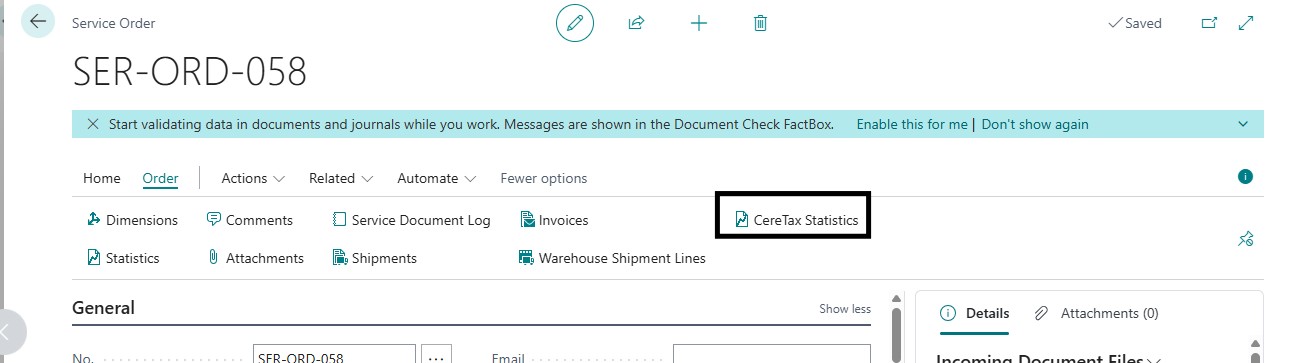
CereTax statistics on service orders as of platform v28
as of v28 of the BC platform if you wish to see the statistics page for service orders, you need to use the CereTax Statistics button
Multi-entity management support Available as of v1.0.0.28
How do I use the multi-entity management with profiles?
Enable under MEM settings on the CereTax settings page
Select the group of entities you wish to define profiles for
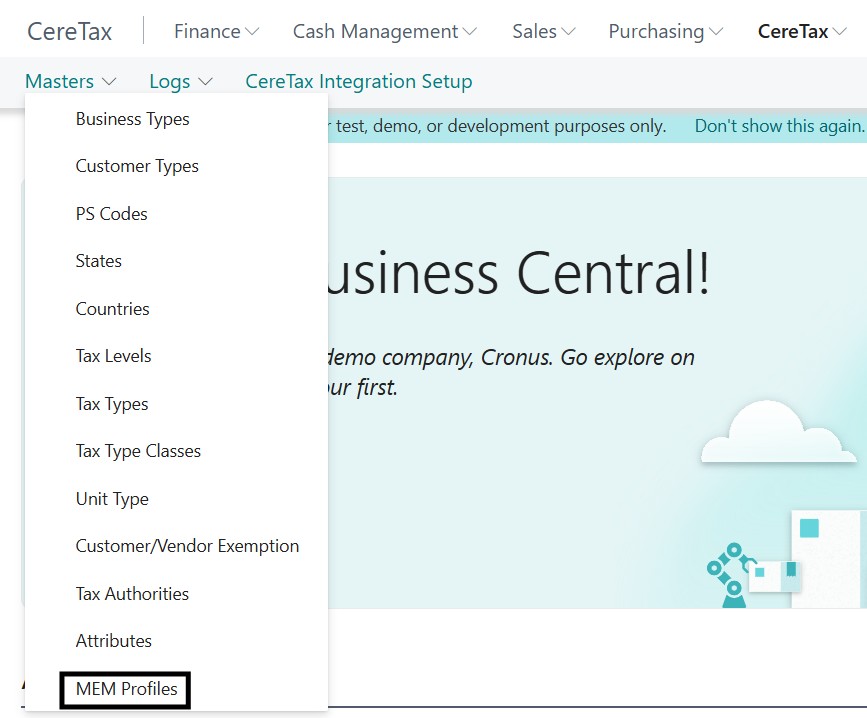
Click the MEM Profiles under Masters on the CereTax Menu
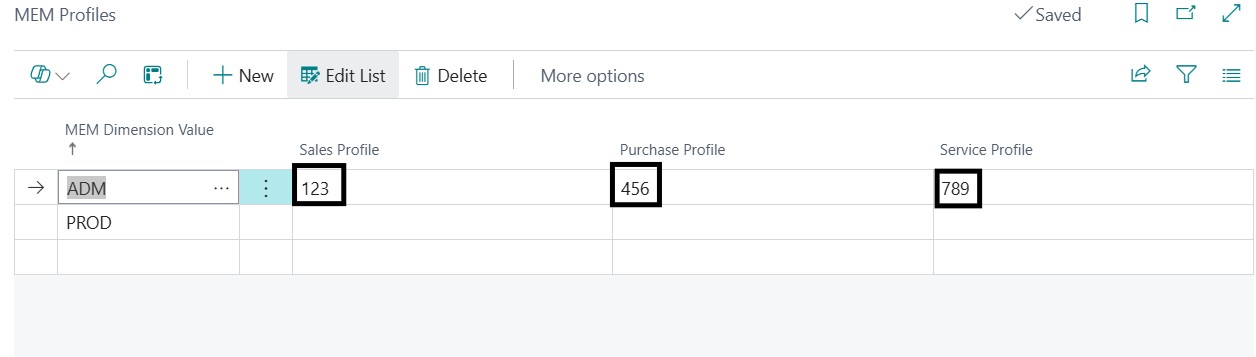
Click Edit List
Fill in the profile values you want to use for each dimension, you can set a different value for sales, purcahses, and services
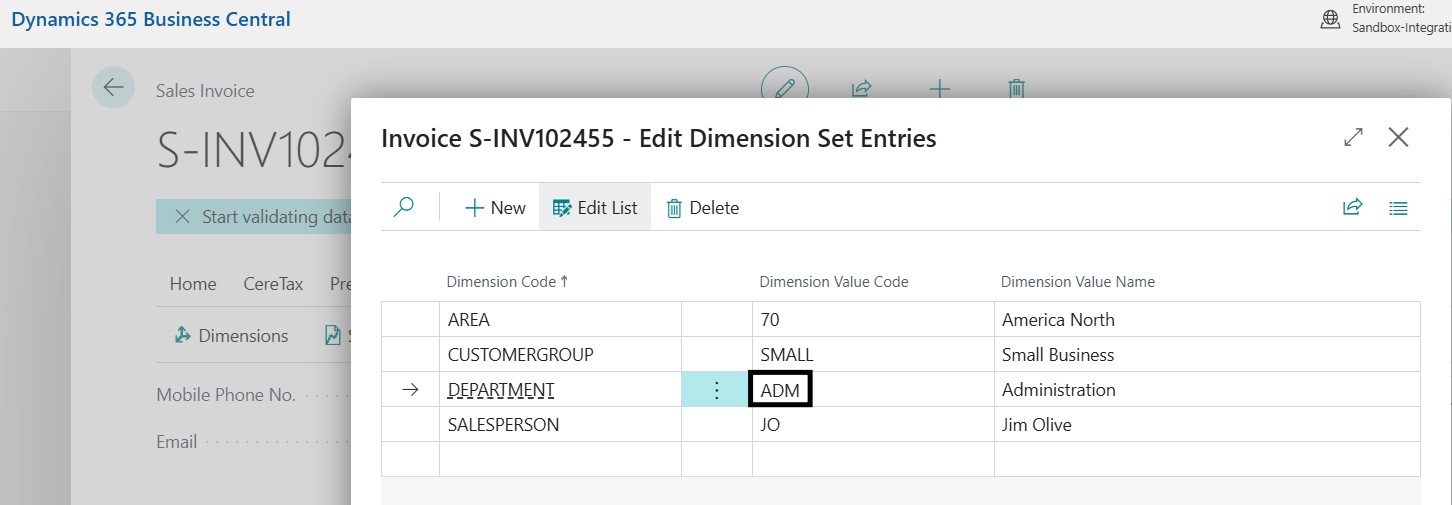
When processing a transaction, ensure values in the dimension match the group and entity configured in the MEM profile settings
See Invoice --> Dimensions on a given transaction
If no value is configured for the given dimension, the profile used will be taken from the main CereTax settings profiles
Service Module Available as of v1.0.0.24
How can I process service invoices in BC?
Go to the CereTax Integration Setup page
Copy the value you have for the Sales profile field and paste it for the Service profile field
Go to the Service Invoices page (BC add-on required)
Fill out the invoice as you would for a typical sales invoice
Under the invoice ensure the Tax Liable toggle is on
Item charges is not supported in Services Module, if shipping is required, add an item an ensure that item is mapped to a psCode that starts with 48
post transaction, taxes can be viewed under the CereTax Tab --> CereTax Service Tax Log button
CereTax Integration Setup (US/CA specification no longer required as as v 1.0.0.21)
Is US and CA Country/Region required?
Yes, without those values taxes will not be returned for transactions in either of these countries
Address Validation
Is address validation supported in all countries?
No, address validation is only supported for US addresses at this time. Addresses from other CereTax-supported countries, like Canada, can still be used to calculate tax, but cannot be validated using the CereTax app. CereTax will return an error in Business Central when it cannot determine the location of the transaction based on the address inputs provided.
Tax Calculation
Can taxes calculated by CereTax be posted to different G/L accounts?
No, currently all taxes calculated by CereTax in Business Central can only be posted to a single G/L account that is selected in the CereTax Integration Settings page.