Transactions / Sales / Purchases — Zip+4 now displays, Archived column included on export, missing Line Item Detail fields (Inventory Amount, Item Category, Status, Item Number), Filter Value field restored, Reverse Item button visibility.
Breadcrumbs & Side Menu polish — labels match designs, side menu no longer collapses on mouse-out or page refresh.
Exemptions: Sales tax holiday setting now persists across dialogs.
3/23/26
Portal v1.2 updates
We have launched a new version of our platform. Some of these improvements include:
Portal usability improvements with additional text to help with navigation
You can now click anywhere on the items in rules to drag criteria or actions
Rule criteria list filters are fixed
Additional messaging to help with errors
Icon is added back for View Tax Boundary and View Taxability options in Sales
New Fields have been added to the General Sales API and in the Portal for viewing:
Billing Period Start Date (Optional Field) - Invoice Level, Field Name: BillingPeriodStartDate, Field Format Date YYYY-MM-DD or MM/DD/YYYY
Billing Period End Date - (Optional) - Invoice Level, Field Name: BillingPeriodEndDate, Field Format Date: YYYY-MM-DD or MM/DD/YYYY
Project Number (Optional) - Line Level, ProjectNumber, Format: Max Length: 25 Alphanumeric (also need to add to Rules)
Job Number (Optional) - Line Level, JobNumber, Format: Max Length: 25 Alphanumeric (also need to add to Rules)
Meter (Optional) - Line Level,Meter, Format: Max Length: 25 Alphanumeric (also need to add to rules) - needed for energy
Sales Order Number (Optional) - SalesOrderNumber, Format: Max Length: 25 Alphanumeric (also need to add to Rules)
Legal Entity (Optional) - Line Level, LegalEntity, Format: Max Length: 25 Alphanumeric (also need to add to Rule
Division Code (Optional) - Line Level, DivisionCode, Format: Max Length: 25 Alphanumeric (also need to add to Rule
Cost Center (Optional) - Line Level, CostCenter, Format: Max Length: 25 Alphanumeric (also need to add to Rule
GL Account (Optional) - Line Level, GLAccount, Format: Max Length: 25 Alphanumeric (also need to add to Rule
Billing Days in Period (Optional) - Invoice Level, BillingDaysInPeriod, Format: 3 Numeric Int
Currency Code (Optional) - Line Level, CurrencyCode, Currency code based on ISO 4217 standard recommended. Length must be 3 if provided. Format: Length: 0 or 3 Alphanumeric. We recommend: ISO 4217
Contract Value (Optional) - Invoice Level, ContractValue, Int Decimal, 15 12 length and 10 precision
System of Origin - Invoice Level, SystemOrigin: Max Length: 25 Alphanumeric
With our portal v1.1 release we are updating the portal with some minor changes and bug fixes. Those improvements include:
Changing the left navigation label from Partner Management to Access Management
Clear display of actions on the Access Management page for Generate Invitation Code and Accept Invitation Code
Adding the browser tab names to the url so the user can tell in the browser the page they are viewing
Taxability column rename from Tax Name to Tax Type Description
Sales Item Details we added Customer Type and Business Type
Allowing multiple filters to be applied to the same field on table pages
We are defaulting the column width settings on tables
Purchases we are adding the transaction to batch
12/10/25
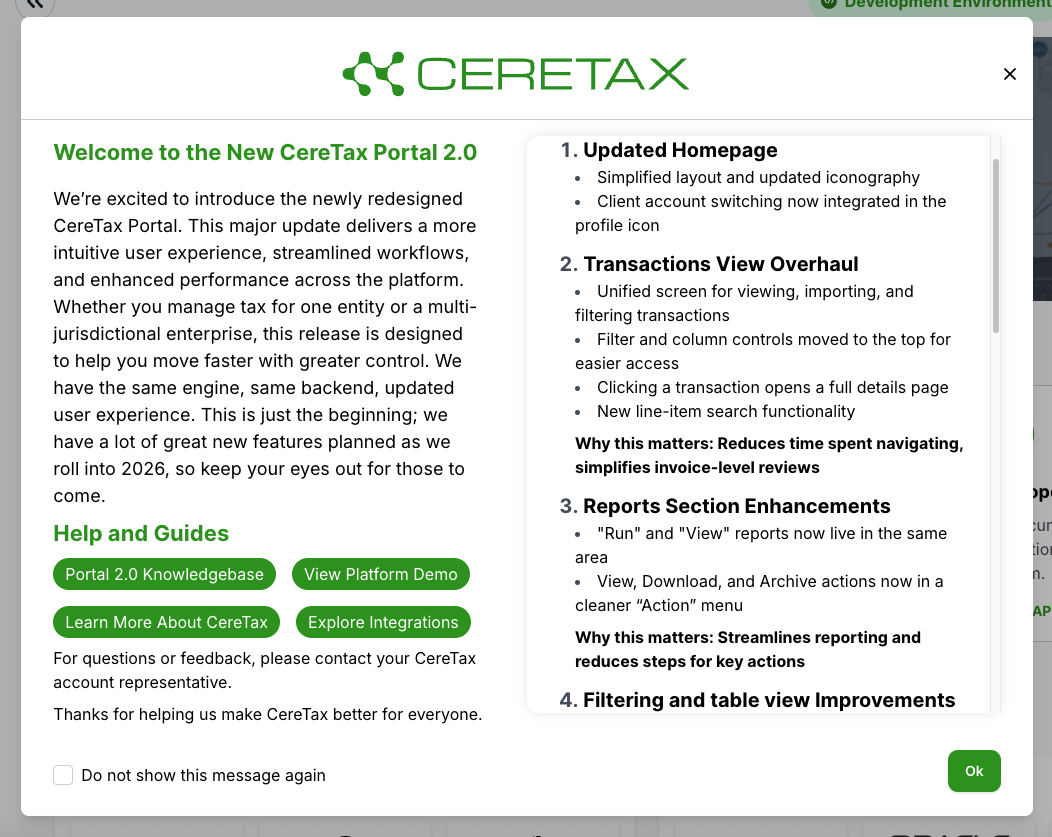
CereTax New Portal 2.0 Production Release Notification
Header text update and font size
Help and guide section added
Integration link button text updated --> Explore Integrations
Order of buttons displayed is now updated
11/13/25
CereTax Product Release Notes Release: New CereTax Portal Launch - CERT ENVIRONMENT CERT Release Date: November 13, 2025 Production Date: December 10, 2025
Overview: We’re excited to introduce the newly redesigned CereTax Portal. This major update delivers a more intuitive user experience, streamlined workflows, and enhanced performance across the platform. Whether you manage tax for one entity or a multi-jurisdictional enterprise, this release is designed to help you move faster with greater control. We have the same engine, same backend, updated user experience. This is just the beginning, we have a lot of great new features planned as we roll into 2026, so keep your eyes out for those to come.
1. Updated Homepage
Simplified layout and updated iconography
Client account switching now integrated in the profile icon
2. Transactions View Overhaul
Unified screen for viewing, importing, and filtering transactions
Filter and column controls moved to the top for easier access
Clicking a transaction opens a full details page
New line-item search functionality
Why this matters: Reduces time spent navigating, simplifies invoice-level reviews
3. Reports Section Enhancements
"Run" and "View" reports now live in the same area
View, Download, and Archive actions now in a cleaner “Action” menu
Why this matters: Streamlines reporting and reduces steps for key actions
4. Filtering and table view Improvements (coming soon)
A new filter profile component is coming that will allow users to define and quick load filters
Saved filters can be designated as a default which will be applied each time you land on the page
Why this helps: Streamlines the experience of finding the data you need
5. Rule Management Improvements
Duplicate Rule now copies all values, not just headers and structure
View/Edit/History and Duplicate moved into the "Action" ellipsis
Profile icon updated for cleaner navigation
Why this helps: Saves significant setup time and makes replication of logic easier
6. Rule Types & Elements Updates
Rule types are now managed on a separate page
Search replaced with filters for Rule Types and Rule Elements
More intuitive layout for managing complex logic
Bottom line: Easier to scale and maintain tax automation logic
7. Tools Layout Refresh
Tax Calculator, Address Validation, and Taxability tools updated visually
Filters and column controls now upfront and visible
Why users love it: Easier to access, no learning curve
8. Administration & Role Management
Users and Roles split into separate views
More pre-configured Roles with varying permission levels
Access code options moved to the "Action" menu in Partner Management
Why it’s better: More flexible user management and faster onboarding
9. Navigation Experience
Former multi-tab interface replaced with streamlined single-window navigation
Why it’s useful: Keeps workflows cleaner and improves focus
For questions or feedback, please contact your CereTax account representative.
Thanks for helping us make CereTax better for everyone.
4/28/25
Portal Refactor updates:
Reverse and Recalculate feature has been added
Can be found in the Portal for sales transactions only
Feature will reverse the original transaction and create a new transaction with the previous transaction’s details and recalculate taxes
This is intended to apply any rule changes made between the time the original transaction was calculated and when it was recalculated
Added a contact us form that will create a support ticket. Please be sure to put as much information in the Message field as possible.
We have added an option field for Invoice Number so that it is easier for you to find your transaction if you decide to post it from the tax calculator.
4/11/25
Portal Refactor updates:
Tax Calculator configuration screen
We have added invoice date
3 buttons have been disabled and colored grey
Calculate tax
Post Transaction
Reset Tax Calculator
Environment banner has been added back in grey
3/28/25
We have added an enhancement to Post a transaction from the Tax Calculator in the Portal. You can find this option under the Actions drop down, simply select Post Transaction. You can then view the transaction in Sales and the transaction will be available for Reporting.
3/17/25
Telecom Customers:
The Arizona Commission ordered an update to the Arizona Universal Service Fund surcharge. This order was voted in on 3/12/2025. The order states that the Arizona Universal Service Fund surcharge for Category One providers shall be updated to $0.00 per access line and $0.00 per interconnecting trunk line beginning March 1, 2025. Category Two providers shall be updated to $0.00 percent of intrastate toll revenues as of March 1, 2025.
As of 3/25/2025, CereTax will return a $0.00 rate for Arizona Universal Service Fund surcharge (USF) Category One and Category Two providers.
If you have any questions, as always feel free to contact us.
3/6/25
We are excited to announce the new release of the CereTax Portal! This update introduces several key enhancements designed to improve your experience and streamline your workflow.
What’s New:
New Landing Page for the Portal The updated landing page now prominently highlights our documentation, making it easier to access the resources you need.
Rebranded Portal Experience The CereTax Portal has been updated to embrace our new green branding, aligning with our new marketing brand. This refresh brings a fresh and modern look to the platform.
Environment Indicator A new indicator at the bottom left of the panel will let you know what environment you are signed into.
Automated Rules Sync Rules will now automatically sync upon updates, eliminating the need for manual intervention and ensuring accuracy.
New Geocode Column in Sales Transactions We have added an optional Geocode column to the sales transactions, enhancing Situs display options for more precise tax calculations.
Canada Address Validation Canada address validation (AV) is now live and is currently working in both the Address Validation API and the portal. Integration updates requiring code changes are planned for an upcoming sprint.
Dashboard Returns Soon A completely redesigned and improved dashboard is in the works and will be available in the next few months. We can’t wait to share it with you!
We are actively working on a major portal refactor project and a new user experience that will bring even more improvements soon. Stay tuned for additional updates!
Thank you for your continued support as we continue to enhance the CereTax platform.


.png)
.png)